technology
Will It Still Work in Ten Years?
· Koni"Won't This Be Obsolete in Two Years?"
Anyone who has bought a phone, a TV or a laptop knows the feeling: a year or two later, it is already yesterday's model. So when someone offers to build a smart system into your home, the hesitation is completely reasonable. Nobody wants to invest in something that ends up in a drawer.
The fear is fair. But it helps to ask a more precise question: what actually makes a smart home age badly?
What Really Makes a Smart Home Age
Rarely the hardware. Lights, sensors and switches tend to last for years. What ages badly is dependence on one company.
In 2016, Nest, owned by Alphabet, permanently switched off all Revolv hubs. In 2022, the smart home company Insteon shut down abruptly, leaving customers without the service their system relied on. In both cases, the devices did not wear out. The company behind them stopped, and with it, the parts of the system that lived on its servers.
That is the real obsolescence risk: not the age of your devices, but whether your home depends on someone else's business decisions.
Think Kitchen, Not Gadget
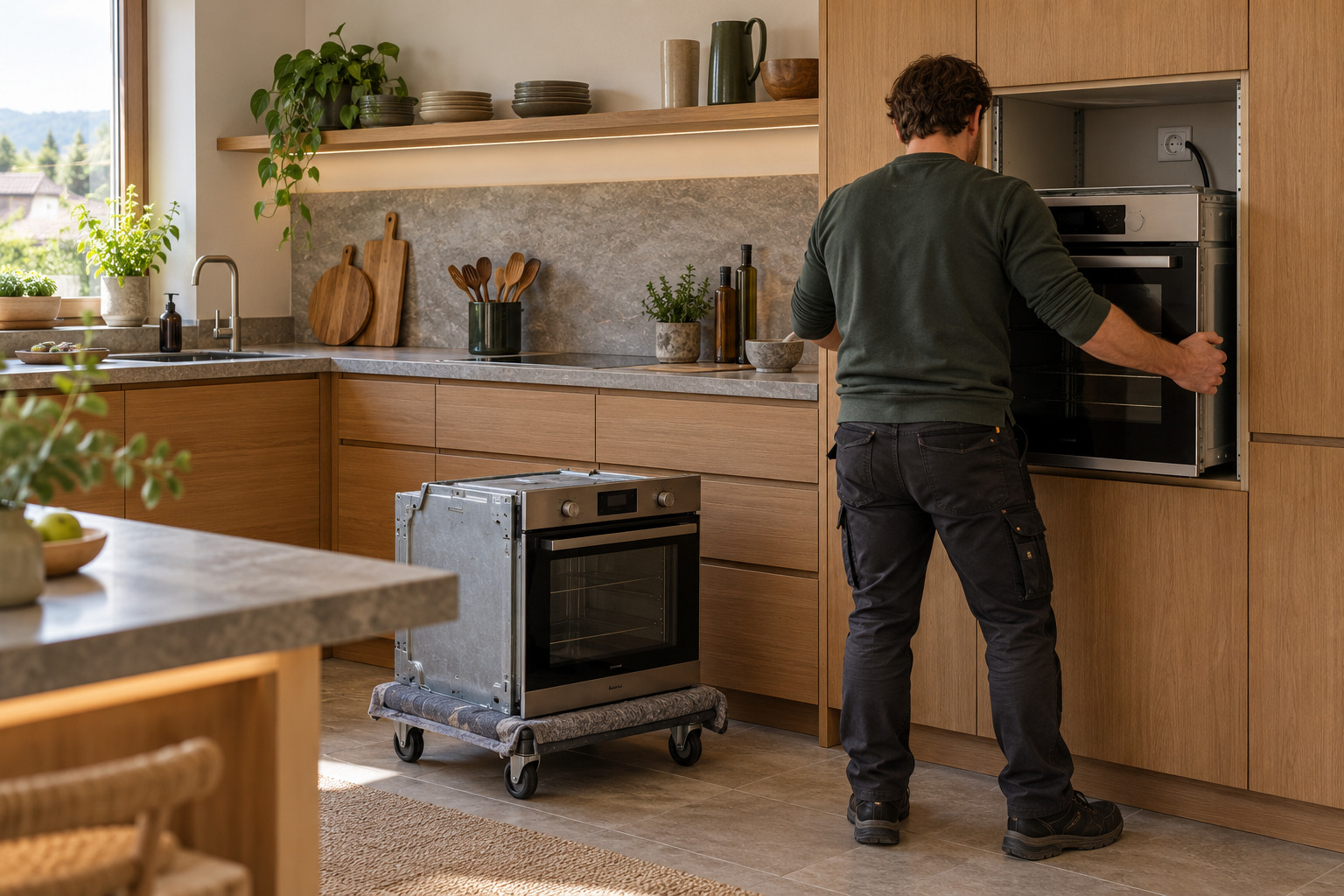
A good kitchen is not replaced when the oven breaks. You replace the oven. The sockets, the wiring and the layout stay, and a new appliance simply plugs in.
A smart home can work the same way. It has three layers:
- Standards are the sockets. Open standards such as Zigbee, Z-Wave and Matter mean that devices from many makers speak the same language, and they outlive individual brands.
- Devices are the appliances. A sensor, a lamp or a thermostat can be replaced one at a time, when it breaks or when something better comes along.
- The brain is the software that connects everything and decides what happens. It runs in your home and is updated over time.
When these layers are separate, nothing forces you to start over. One part changes, and the rest keeps working.
A Brain That Keeps Learning
The software at the centre of a Konihaus™ system is Home Assistant, which is developed openly and updated regularly. When a new standard arrives, support for it is added to the software, and your system learns it without being replaced. Matter is a good example: Konihaus™ runs Matter devices locally, without needing an internet connection or cloud services.
"For free" needs one honest note: the software updates cost nothing, and they are part of the service. New devices are a separate decision, and you only buy them if you want them. The point is that you never have to.
What Nobody Can Promise
No one can honestly promise that a smart home will stay unchanged for twenty years. Technology moves, and some devices will be replaced sooner than others.
What can be promised is a different, more useful thing: when something changes, you change that one part, not the whole system. You are not tied to one manufacturer, one app or one company's future. That is what "future-proof" means here: not frozen in time, but ready to adapt.
If that is all you wanted to know, you can stop reading here. The rest of this article is for the curious: it is more technical, and it explains how such a system is built.
For the Curious: Keep the Brain at Home
The foundation is a local hub, either a small dedicated device such as Konihaus™ Greenhub or a mini-PC. Your data stays in your home, and you can control your smart home even when the internet is down. Basic operation needs no subscription, which also means no monthly fee and no service that can be switched off.
Cloud services are then an option, not a foundation. If you choose to connect a voice assistant from Google or Amazon, for example, that is a deliberate decision, and the core system does not depend on it.
Open Radios, One Main Network
Devices talk to the hub over radio networks, and the important ones are Zigbee, Z-Wave and Thread, which carries Matter. Home Assistant Green has no Zigbee or Thread radio built in. You add one with a USB/POE coordinator such as the SONOFF Dongle Max, which supports Zigbee and Thread. It can run only one of them at a time, so each radio you want gets its own dongle.
That leads to the first principle:
- One reliable network. Choose one primary protocol, for example Zigbee or Matter over Thread, for most devices. A single mesh with well-placed devices means no dead spots and fewer surprises. Add a second protocol only where a device category really needs it.
Three more principles belong with it:
- Local-first, always. Everything that matters must work locally. If the internet or a vendor's servers go away, the house keeps running.
- High availability. A crashed server must not leave you without light switches or fans. Wall switches and lights should keep working on their own, and critical functions need redundancy.
- Standardised rooms. Plan by room type. Every bedroom, for example, gets the same baseline of light, motion, temperature and humidity sensing. It makes the system predictable, easier to extend and easier to support.
The Blueprint
Put together, an ideal setup looks like this:
- Lighting and power: all switches, lights, fans and outlets can be controlled by Home Assistant.
- Sensing: every room has a standard sensor set: presence or motion, temperature, humidity, light and Bluetooth.
- Heating and cooling: full local control over the HVAC system.
- Awareness: whole-house energy and water monitoring.
- Audio and voice: speakers and microphones in key rooms, for whole-house audio and voice commands.
Nobody needs all of this on day one. It is a direction, and the modular structure means you can grow into it room by room.
The Wiring Lasts Longest
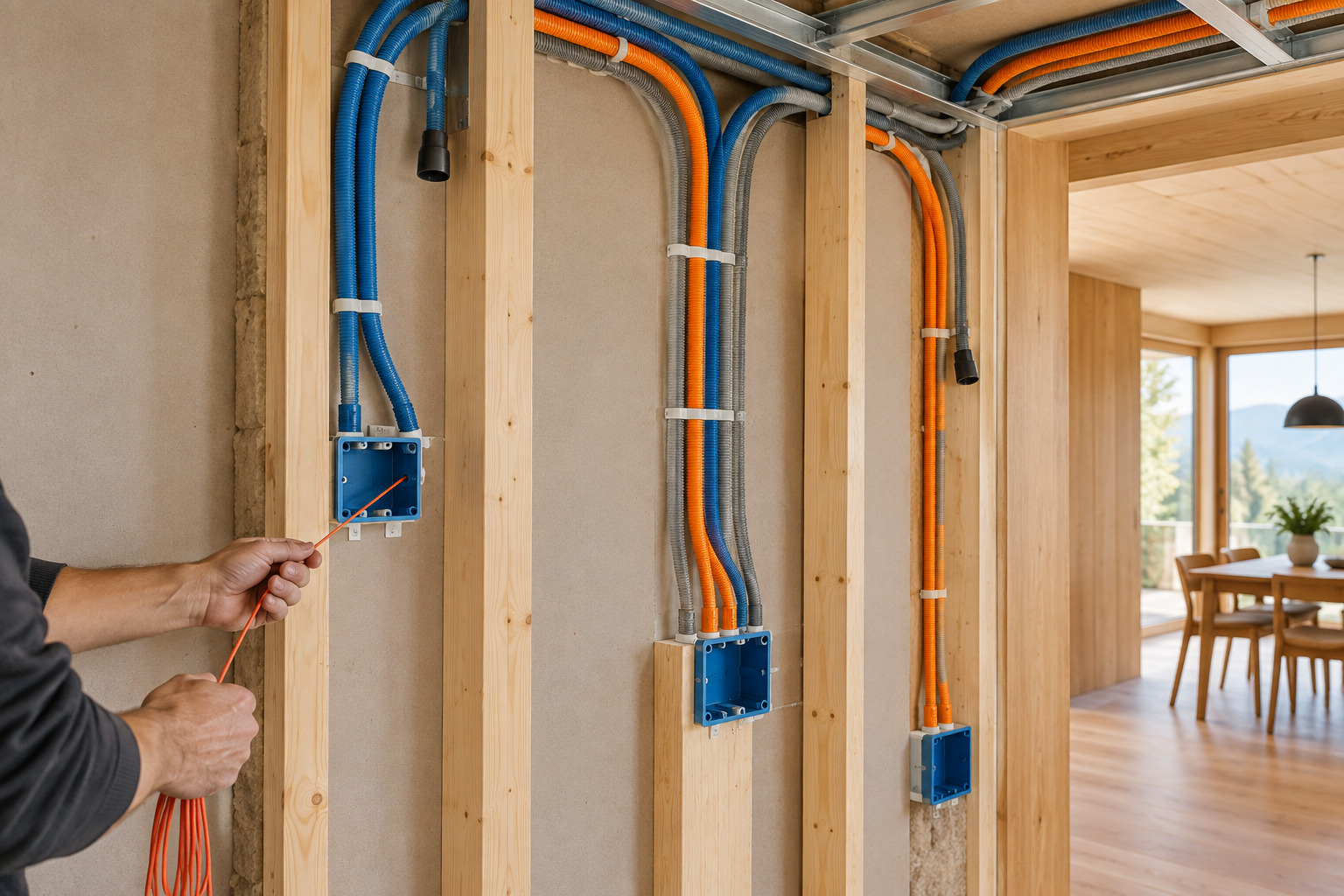
Devices change every few years. Walls change every few decades. That is why one of the most future-proof measures is not electronic at all: empty conduits (Leerrohre, sometimes called "smurf tubes") in walls, ceilings and floors during a build or renovation. They cost little at that stage, and they let you pull a new cable later without opening anything up. This is common advice from installers and the Home Assistant community rather than a standard, and it is worth planning wherever walls are open anyway.
Local Voice and AI, With Care
Voice control is a good test of the whole approach. Home Assistant's Assist can run fully on your own hardware, so voice commands stay private. Hardware like the Satellite1 from FutureProofHomes is built for exactly this: a local voice satellite that works with Home Assistant. Its maker also announces a local AI base station, but availability changes quickly, so check before you plan around any specific product.
We treat local voice and local language models as promising and still maturing. They are an option for people who want them, not a requirement for a good system.
What to Avoid
- Ghosts in the machine. Automations that trigger without a clear cause make a home feel unpredictable, and people quickly lose trust in it. Every automation should have a reason you can trace, and Home Assistant's logbook and automation traces show what triggered what.
- Single points of failure. The whole home should not go down because one component fails. Plan for the day something breaks.
- A cloud-only backbone. Cloud features are fine as extras. Cloud-only devices at the centre of the system bring back the exact risk this article started with.
What Makes a Smart Home Future-Proof
A smart home earns your trust by still working, calmly and predictably, long after the excitement of the first week. That comes from a few unglamorous decisions: keep the brain local, use open standards, plan for failure, and lay the right conduits.
Done that way, the question "will it be obsolete in two years?" has a good answer: probably not as a whole, and where a part does age, you replace the part.
Thinking about your own home? Talk to Koni about what would actually make a difference in yours — no obligation, no sales pitch.
Sources: Nest and Revolv (VentureBeat) · Insteon shutdown (Hackaday) · Konihaus™ Greenhub · SONOFF Dongle Max · Build With Matter | Smart Home Device Solution · Home Assistant voice control · FutureProofHomes