technology
Smart Lights: Bulbs, Strips and Lamps, and What You Can Buy in Switzerland
· KoniAlmost every smart home starts with a light. It is cheap, it is visible, and the result is instant: you say "movie time" and the room changes. It is also the first device people get wrong, by buying something that works only with one app, or only with one shop's hub.
This is the first post in a new series. From today there is a new technical post every other day. In this series I'll go through one group of devices at a time: lights, then shades, sensors, heating and more. Each post asks the same questions: what does it do for you, what should you check before buying, and where are the honest limits. And because you asked for it: yes, I'll name brands and say what you can actually buy in Switzerland.

Three kinds of smart light
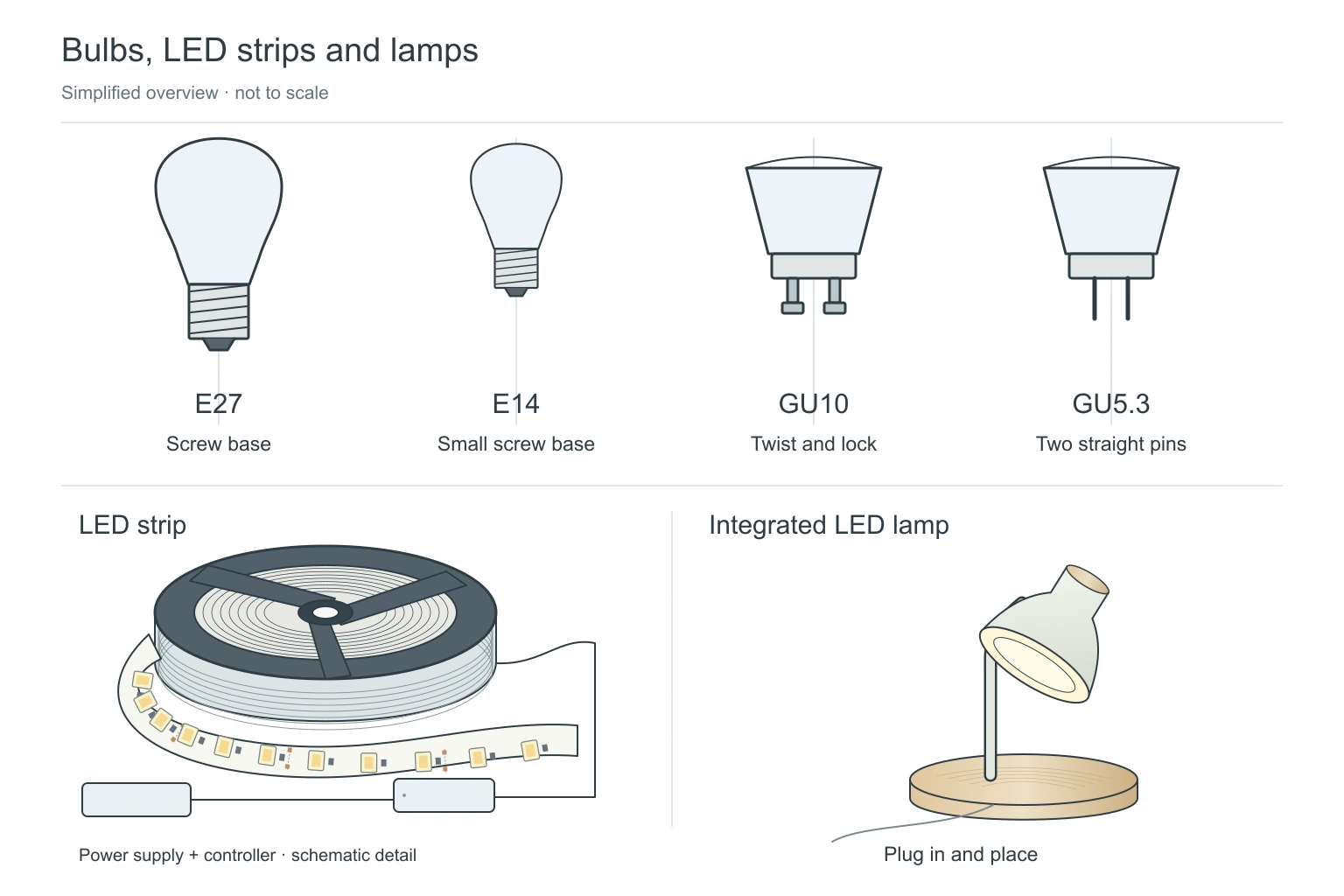
Bulbs are the easiest start. You replace the bulb, and the lamp you already own becomes smart. The common formats are:
- E27, the standard screw base, for most ceiling and floor lamps
- E14, the small screw base, for candle-style bulbs in chandeliers and wall lights
- GU10, the spotlight with two pins, for ceiling spots and track lighting
- GU5.3, the low-voltage spot, found in older halogen installs
Check the base and the shape before you buy, and check whether the lamp is dimmable-rated or enclosed, because heat matters in tight fittings.
LED strips go behind the TV, under a kitchen cabinet, along a shelf or the back of a desk. They give indirect light and the most dramatic colour effects. Look for strips you can cut, with a clear note on length and power supply.
Smart lamps have the light built in. A desk lamp with a warm-to-cool white range, a table lamp that works as a glowing accent, a floor lamp that washes a wall with colour. They are the easiest choice for renters: plug in, done, and the lamp moves with you.
What's on sale in Switzerland
Here is what I found today, 27 October 2026. Prices change, so treat them as a guide.
Hornbach has a clear smart-lamp section. Philips Hue is the most visible brand, with starter sets and the bridge. Hornbach also lists other labels such as EGLO and TINT, and many items carry a "compatible with SMART HOME by hornbach" label. Simple smart white bulbs start at around CHF 8 to 15. Typical bulbs are CHF 15 to 60. Hue colour spots and candles sit higher. A Hue Bridge Pro starter set was listed at CHF 142.95.
IKEA has the broadest and cheapest range in one place. The KAJPLATS bulbs (E27, E14, GU10) cost CHF 7.95 to 14.95, and a starter set with a remote was around CHF 12.95. The SKYDRAG LED strip (80 cm) was CHF 30, the VARMBLIXT table lamp CHF 79.95, and the DIRIGERA hub CHF 59.95. IKEA says almost all of its smart products now use Matter.
Philips Hue is the benchmark: a huge range (bulbs, strips, lamps, outdoor) and the best sync tools for TV and games. The price is the cost. Besides Hornbach, Hue has its own Swiss web shop, and electronics retailers such as ElectronicPartner list it too.
Digitec Galaxus and MediaMarkt are where you find the other brands. Galaxus sells Govee: a colour E27 bulb for CHF 16, a 5 m RGBIC LED strip for CHF 22 and table lamps from CHF 45.90. Digitec lists WiZ bulbs, for example a colour E27 bulb at CHF 26.50. Digitec also carries Nanoleaf: wall-panel starter kits from CHF 139 (nine Shapes hexagons) and a smart E27 bulb at CHF 23.50. MediaMarkt has panel expansion packs from CHF 51.50 and a Matter light-strip expansion pack at CHF 29 on its marketplace.
A note on these cheaper brands: Govee and WiZ bulbs and strips mostly work over Wi-Fi and their own app, so check the standard (see below) before you build a whole home on them. Some of Nanoleaf's newer Essentials products are sold as Matter, which is a good sign, but check the product page for the exact model.
There are many other shops where you may find these products. I tend to buy directly from the producer or from the bigger retailers, to avoid warranty hassle if a product turns out to be broken.
One thing to check before anything else: the standard
The real question is not the brand. It is what language the light speaks, because that decides whether it works with the rest of your home.
- Zigbee and Matter over Thread are the ones I look for. Both work locally, without the internet.
- Wi-Fi bulbs are cheap and need no hub, but they often depend on the manufacturer's cloud and add traffic to your Wi-Fi.
- Bluetooth-only lights are fine for one lamp, but awkward for a whole home.
Philips Hue uses Zigbee through its own bridge, but you can also pair the bulbs to an independent Zigbee bridge connected to your smart home hub, without the Hue bridge. At Konihaus™ I build the local and private system exactly like that. Hue's newer bulbs also support Matter. IKEA's newer KAJPLATS bulbs use Thread. Open standards like these are what let a light work with Home Assistant and similar local systems, which keeps everything in one app. I wrote about why this matters in no vendor lock-in and Will It Still Work in Ten Years?.
A small honest note on IKEA: the new Matter-over-Thread range is still young, and reviewers report that pairing and stability of some IKEA accessories, mainly buttons and sensors, can be hit and miss. The bulbs themselves are not what people complain about. I'll write about switches and buttons in one of my next posts, so stay tuned.
Movie night: syncing lights to the screen
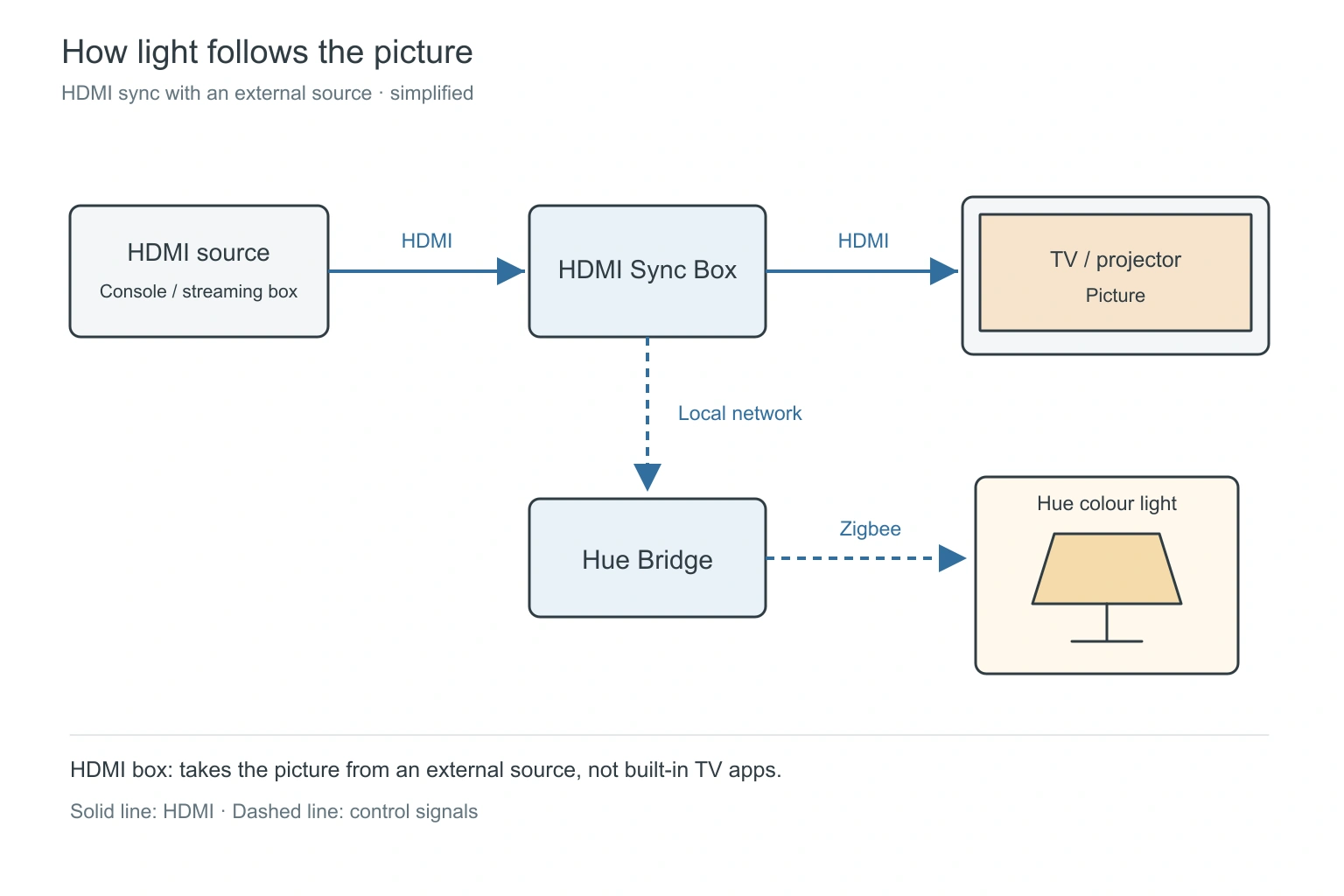
This is the part that wins people over. With the Philips Hue Play HDMI Sync Box, your Hue lights follow what is on the TV. The box sits between your streaming device or console and the TV. It reads the colours in the picture and sends them to your lights, so a red scene glows red in the room and a night scene goes dark blue. It handles up to four HDMI inputs, up to ten lights in one entertainment area, and the 8K model supports 4K and 8K signals with HDR formats. It needs a Hue bridge, and it works without Wi-Fi once it is set up. In the Swiss Hue shop the 8K box costs CHF 350 and was in stock on 26 October.
For a movie, put a strip behind the TV, a lamp in each corner, and let the box do the rest. The effect is bigger than you expect, because the picture seems to extend beyond the edges of the screen.
Light that follows your day
Beyond the show, smart lights help most through the day:
- Morning: bright, cooler light to wake up, fading in gently instead of a harsh switch.
- Daytime: neutral white for work at the desk.
- Evening: warm, dimmer light from about sunset on. Many people find this more relaxing, and it feels much more like a home than a flat white ceiling.
- Night: a very dim warm light on the way to the bathroom, only when needed.
You set it once. After that, the home follows the clock and the sun, without you doing anything.
Scenes for every occasion
A scene is a saved mood: one press sets all your lights at once. Some I like:
- Movie night: low light, strip behind the TV on, ceiling off.
- Game night: bright and even, so the board and the cards are easy to see.
- Ambience: warm and low, for dinner or friends.
- Reading: a focused light near the chair, the rest dimmed.
- Guests are coming: everything bright and welcoming in one press.
And for the calendar:
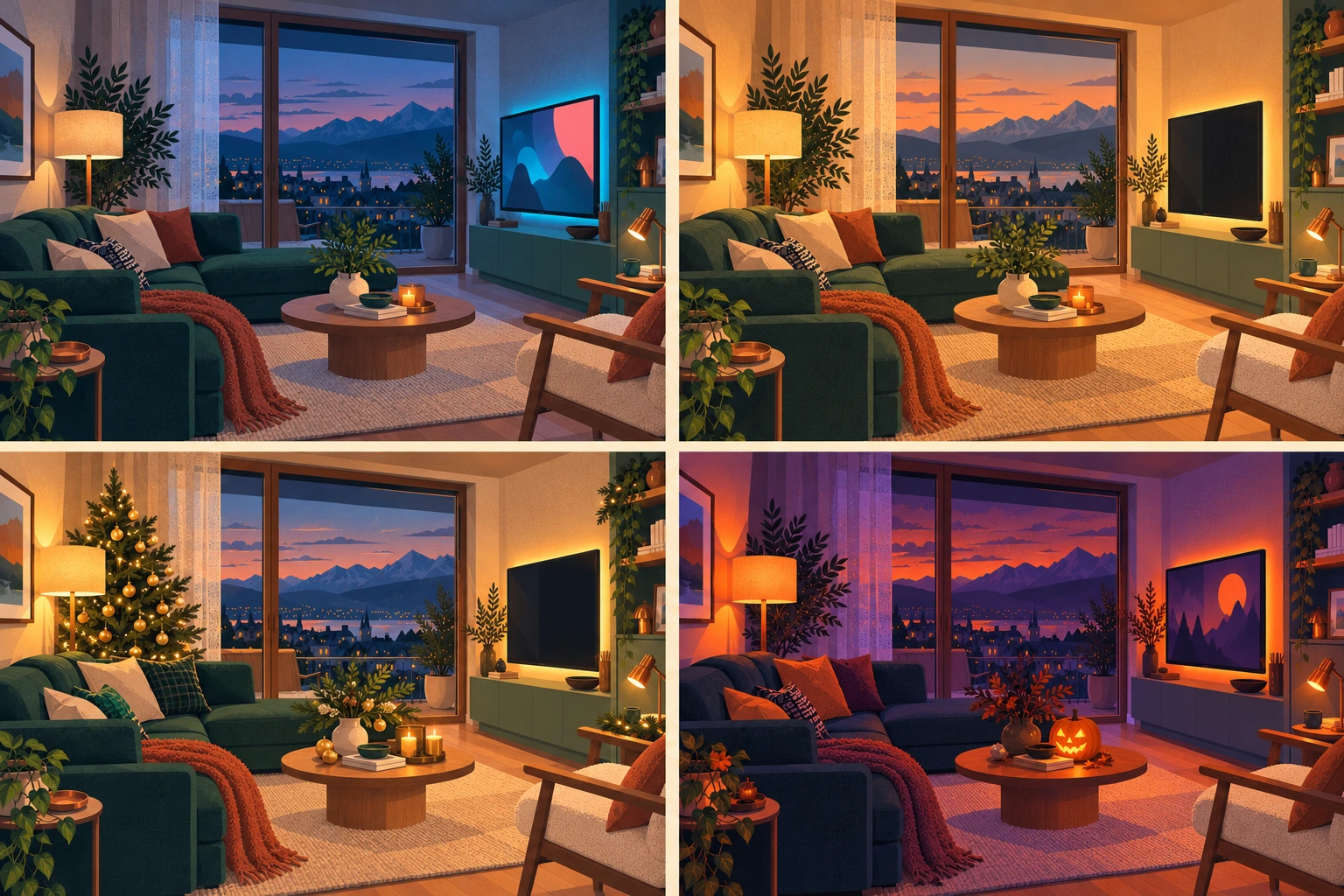
- Christmas: warm white and gold, the tree glowing, a slow flicker on a candle-style bulb.
- Halloween: deep orange and purple, maybe a flicker.
- 1 August: red and white for the Swiss National Day.
- Birthdays: a bright, colourful scene on the day itself, set to switch on the moment the first guest is due.
These can run on a schedule, or with a button you press. Either way, you build them once and they come back every year.
How I'd start
- One room, three lights. The living room is the best place: one lamp, one strip, one more lamp.
- Pick an open standard. Zigbee or Matter, not a Wi-Fi bulb that needs its own account.
- Add a wall dial or button. So nobody needs an app to turn on a light.
- Build two scenes. An evening scene and a movie scene. Add more only when you miss them.
In a Konihaus™ home, lights run through the Greenhub, locally. That means scenes, schedules and sync keep working even if the internet is down, and you keep one app instead of three.
Don't cut the power
One last rule saves a lot of frustration. A smart bulb must always have power. If someone turns off the old wall switch, the bulb is gone from the network, and no automation can switch it on again.
The fix is simple: tape over the old switch, replace it with a smart switch, or use a wireless button or dial next to it. Guests then still have something to press, which is much better than "please use the app".
Smart switches, dials and buttons deserve a post of their own, and I'll write it later in this series. If you don't want to miss it, sign up for the Konihaus™ Blog newsletter below.
Thinking about smart lights for your home? Talk to Koni. The first conversation is free, with no obligation.